Start a project

Project Hub

Always know where your brand is.

One link for the whole project, instead of a hundred emails, ten Drive folders and status calls.
Book 15 minutes
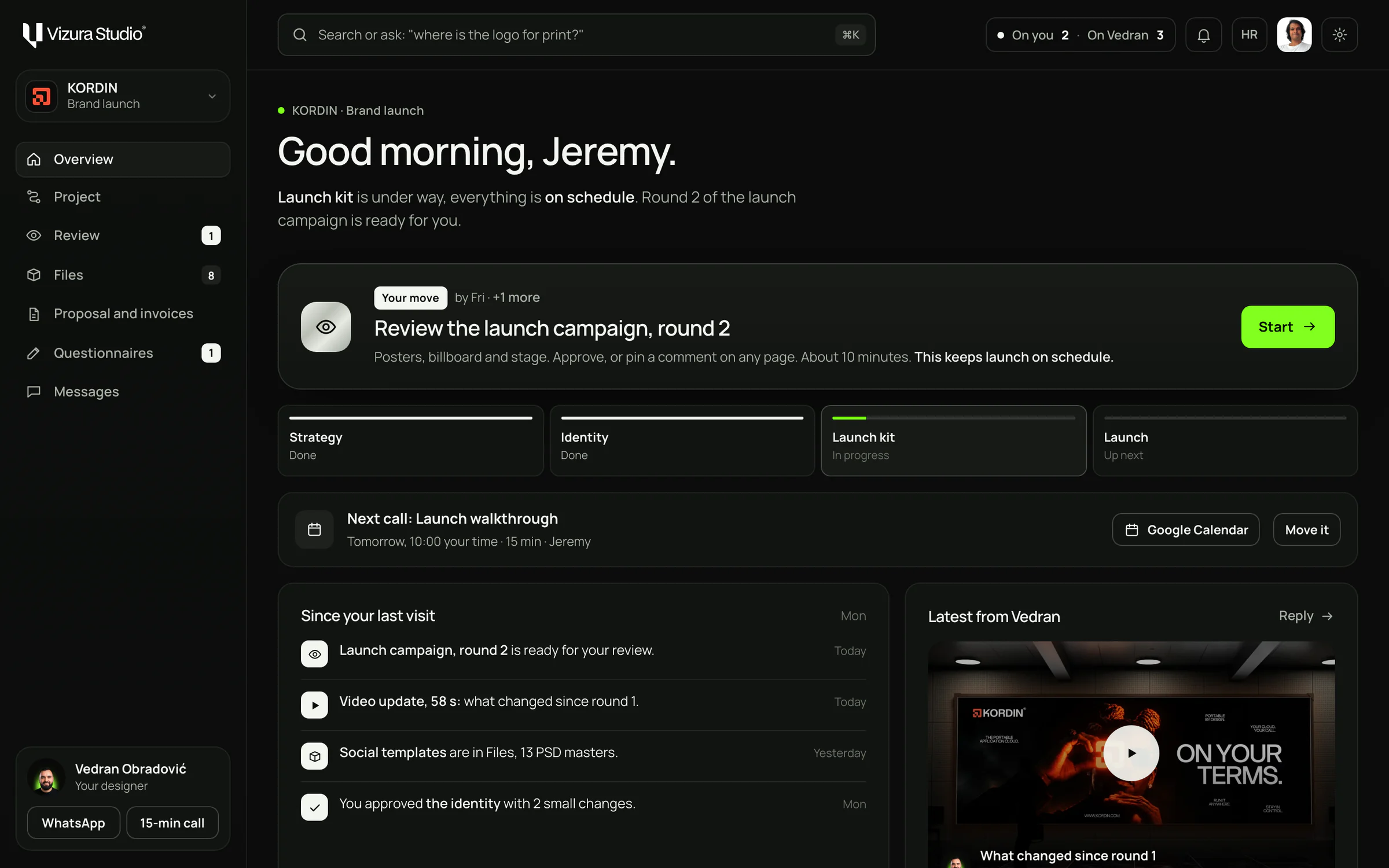
The KORDIN brand launch in the Project Hub: the one step on Jeremy, who has the ball, the project stages, the next call and what changed since his last visit

KORDIN, brand launch. Real deliverables, shown in a demo of the Hub.

No friction

Everything in one place. Nothing to chase.

Before: Status calls

Now: Live status, any time

Before: A hundred emails

Now: Comments right on the design

Before: Ten Drive folders

Now: Every file in one place

Before: Asking for invoices

Now: Every invoice, with its due date

Features

The project tracker you'll actually open.

Live project status

See the phase, the next step and what's delivered.

Approve in the Hub

Comment on the exact spot and approve without a call.

Every file in one place

Download from the Hub, never hunt through Drive folders.

Updates your way

Get updates by phone, email, WhatsApp or Telegram the moment something is new.

Invoices and due dates

Download every invoice and see when each one is due.

Ask anything

Search or message me in the Hub, not in a hundred emails.

Live status

Where the project is. What's already yours.

Brief

Delivered

What the company needs, from the one person who decides.

  • Brand questionnaire, answered
  • One call to align
  • Project brief

Strategy

Delivered

One clear position the whole team can repeat.

  • Positioning: your application is the constant
  • Values: control, choice, ownership and clarity
  • Voice: bold, direct, warm and honest

Identity

Delivered

The logo system, colour and type.

  • Logo system: primary, alt and culture wordmarks
  • Pulse Orange and the colour palette
  • Delight typeface

System

Delivered

Everything the team needs to use the brand.

  • Brand guidelines, 92 pages, searchable
  • Social templates, 13 PSD masters
  • Stationery, business cards and documents

Website

In progress

The new site, designed and built in Framer.

  • Homepage designIn review
  • Product pagesIn progress
  • Framer buildUp next

Launch

Up next

Every touchpoint ready for launch day.

  • Launch campaign: posters, billboard and stage
  • Brand OS Portal for the whole team
  • Every master file, handed over

What it looks like

Built to answer before you ask.

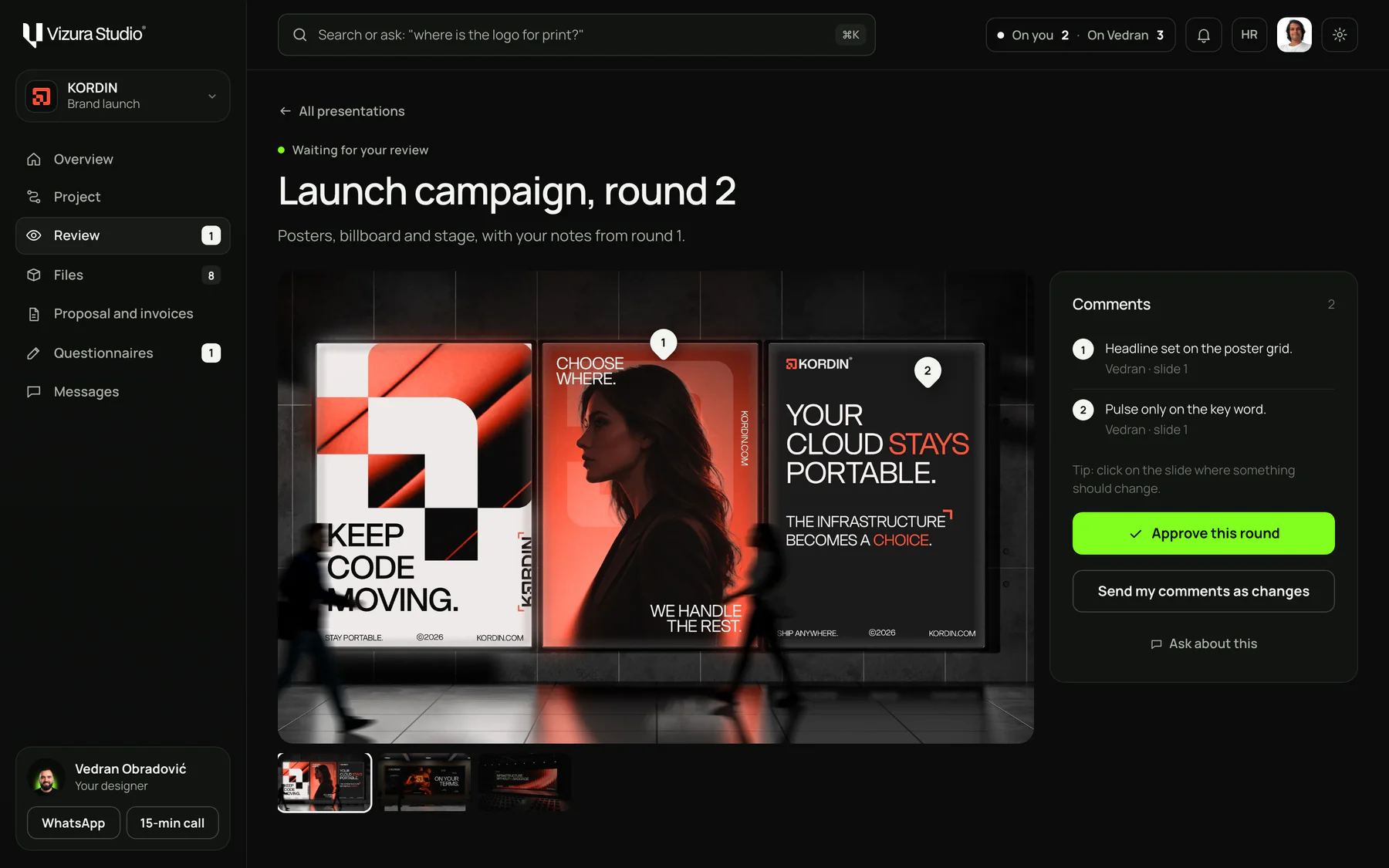
The KORDIN launch campaign, round 2, in the Project Hub: posters with two pinned comments and the Approve this round button
Review a round. Comments sit on the exact spot. One click approves it.
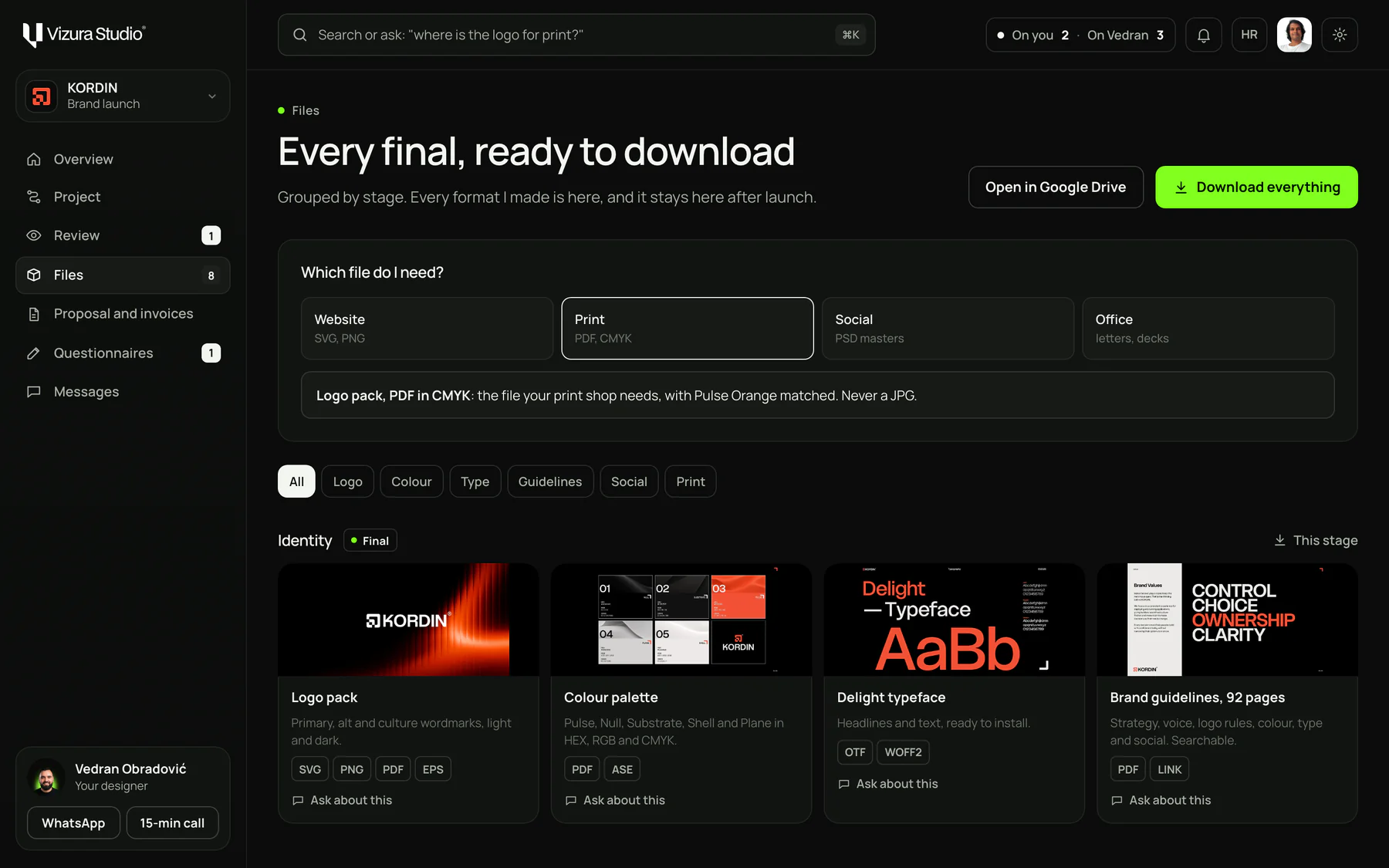
KORDIN files in the Project Hub: Which file do I need? answers Print with the logo pack as a PDF in CMYK, above the logo pack, colour palette, Delight typeface and the 92-page brand guidelines
Get the right file. Pick where it goes. Get the exact file and format.
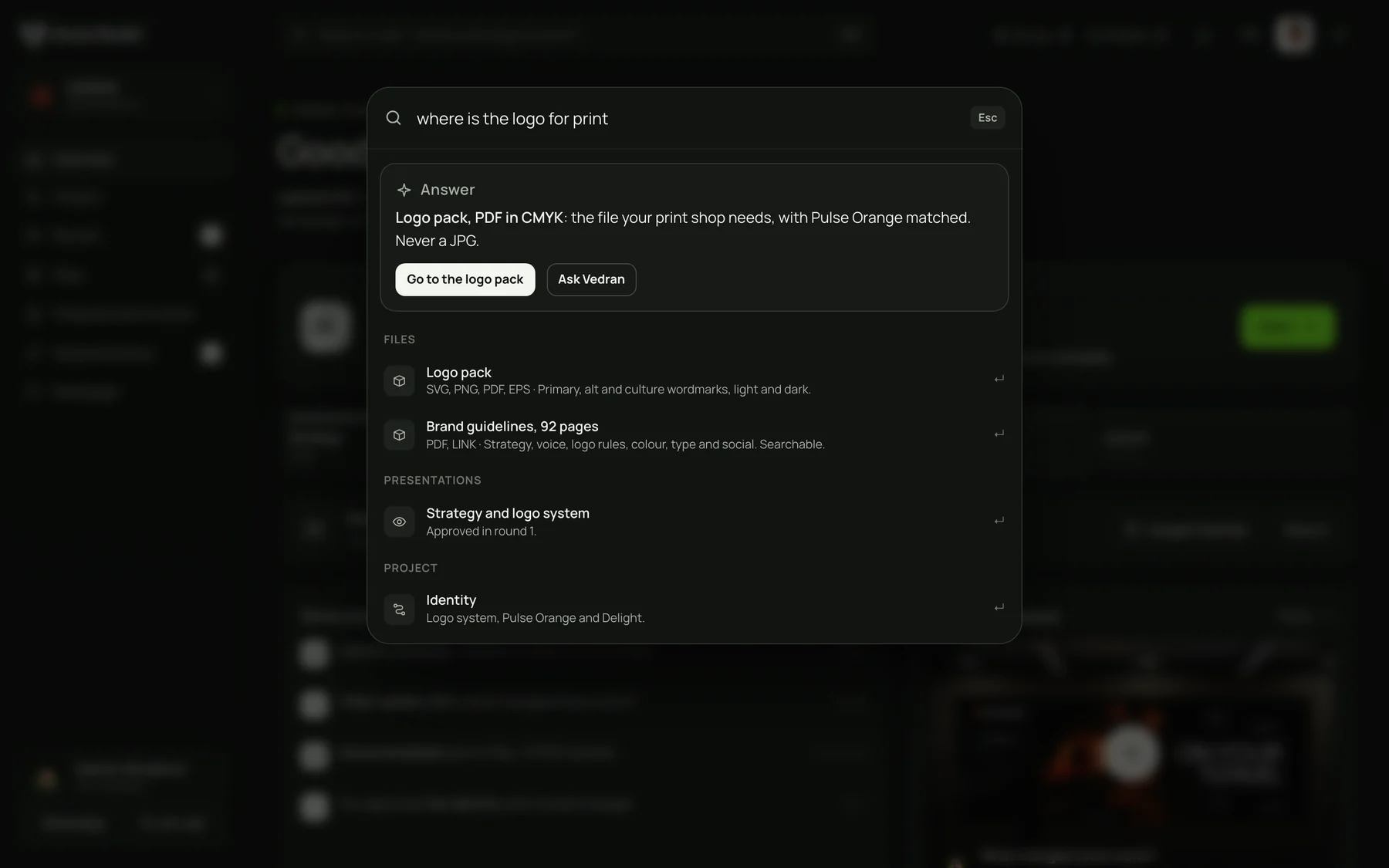
Search in the KORDIN Project Hub answering where the logo for print is, with a link to the logo pack
Ask in plain words. The answer comes back with the file.

Notifications

Updates find you. Wherever you are.

Pick the channel once. Hear about everything new or updated.

  • PhoneProject HubLaunch campaign, round 2 is ready for your review.
  • EmailVizura StudioNew files: social templates, 13 PSD masters.
  • WhatsAppVedranHomepage design is in the Hub. Pin your comments right on it.
  • TelegramVizura StudioInvoice 2 is ready to download, due in 7 days.

After launch

The project ends. The Hub stays yours.

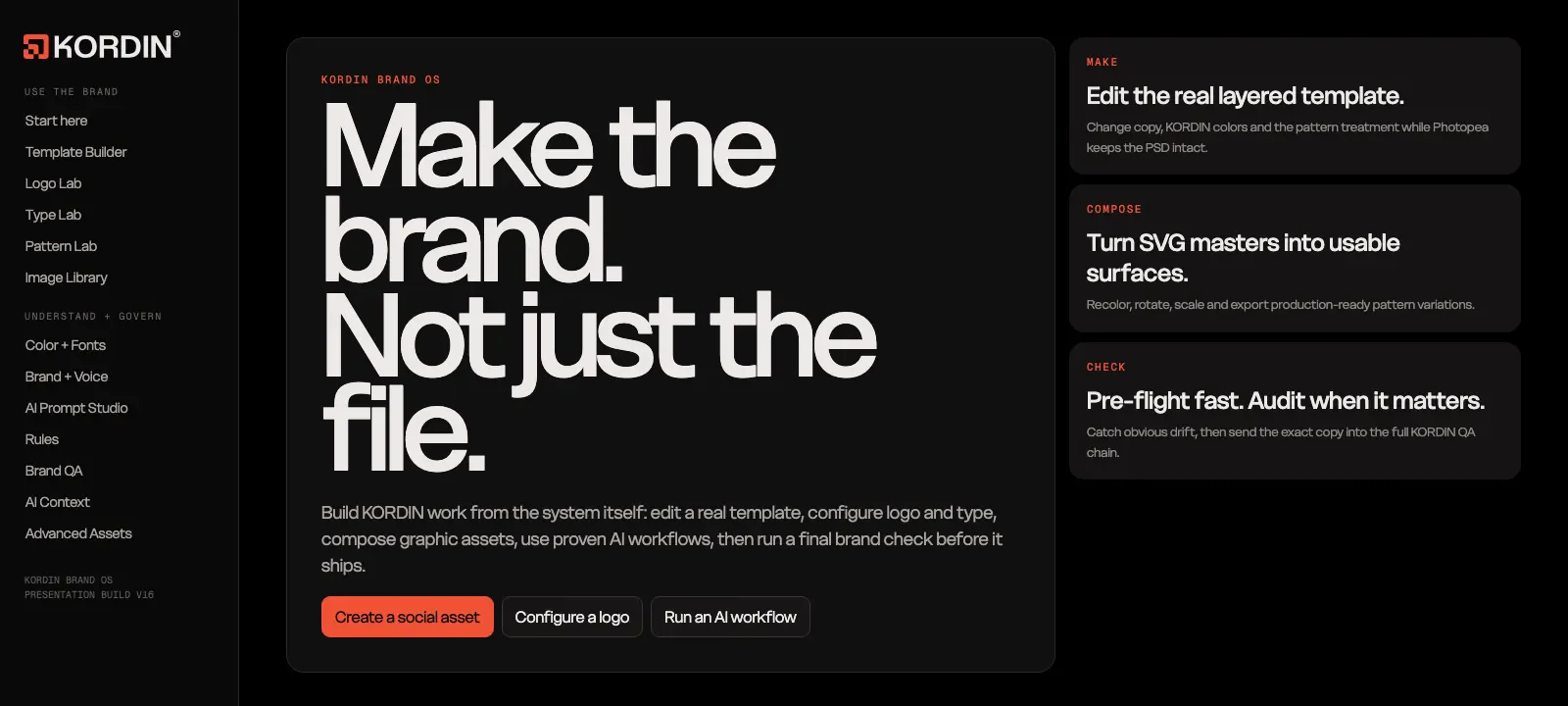
Your Project Hub stays open until your next project with me, every decision on record, and every final brand asset moves into your Brand OS Portal, where your team makes on-brand work every day.
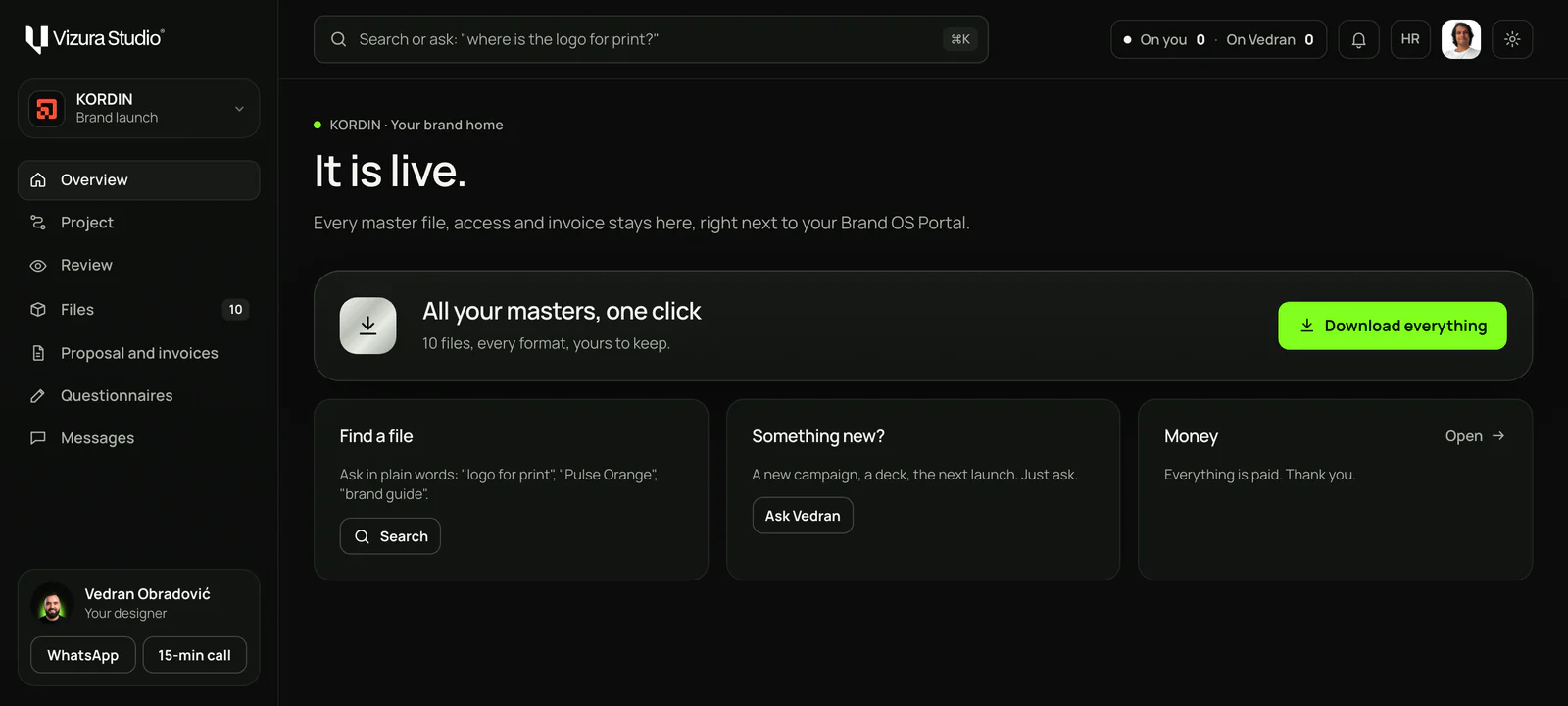
The KORDIN Project Hub after launch: It is live, with every master file one click away
Project HubThe whole project, yours until the next one.
The KORDIN Brand OS Portal: make the brand, not just the file
Brand OS PortalYour brand, every day.

What's the Brand OS Portal?

Stop chasing updates. Start approving work.

Book 15 minutes